Helping jobseekers navigate emerging industries with an AI-powered supply chain explorer
Julius is a B2B workforce technology platform that leverages AI and machine learning to help jobseekers understand labor market data in fast-moving industries. The supply chain explorer is a career navigation tool that lets workers explore an emerging industry through its supply chain, mapping each stage of the work to its roles, skills, and pathways. I led the end-to-end design for this product, partnering directly with leadership and engineering.
Emerging industries are being assembled regionally around supply chains that connect local capacity to national demand
Industries like AI infrastructure and autonomous systems are built through supply chains that span entire regions, with each stage of the work tied to specific manufacturers, sites, and skill bases. The structure of these supply chains determines what kinds of work appear in a given region, what roles those companies hire for, and how a worker might progress over the course of a career — but jobseekers don't have the industry literacy in these new domains. We developed this career navigation tool for a region in the early stages of building out this capacity, with the supply chain itself as the organizing principle of how workers in that region read, navigate, and enter the industries being assembled around them.
Jobseekers and workforce planners have no insight into the rapidly changing terminology of new supply chains
Our primary user is the jobseeker. These are usually adults with a high school diploma or GED and no four-year degree, as well as career switchers who are often employed in traditional or declining industries (fossil fuels, legacy manufacturing, retail, logistics, legacy construction) — both are considering a career change into an emerging sector, which is still too nascent to have a standardized set of terminology and role titles.
Adults with a high school diploma or GED
Career switchers from legacy industries
Works inside a regional workforce intermediary, training provider, community college, or economic development office
No professional vocabulary in the emerging sector, or outdated terminology that doesn't map cleanly onto current roles, certifications, and progressions
Working understanding of the regional labor market and active relationships with local employers
Identify a viable next move into a growing field, and connect existing skills to unfamiliar industries
Build training programs, advise jobseekers, and align curricula to where the regional industry is heading
Lack of accessibility: job descriptions assume familiarity with terms, credentials, and career structures
Decisions are improvised from incomplete information, leaving programs and workers exposed to the gap between projection and actual trajectory
How might we build familiarity and accessibility within a new industry?
The main design challenge is in helping the user construct a working schema as they explore the product, ultimately feeling familiar enough with the complexity of information in order to take action in their career journeys. Familiarity with an industry is a layered understanding built from the language a field uses, the structural relationships between its parts, and the temporal arc of career progression.
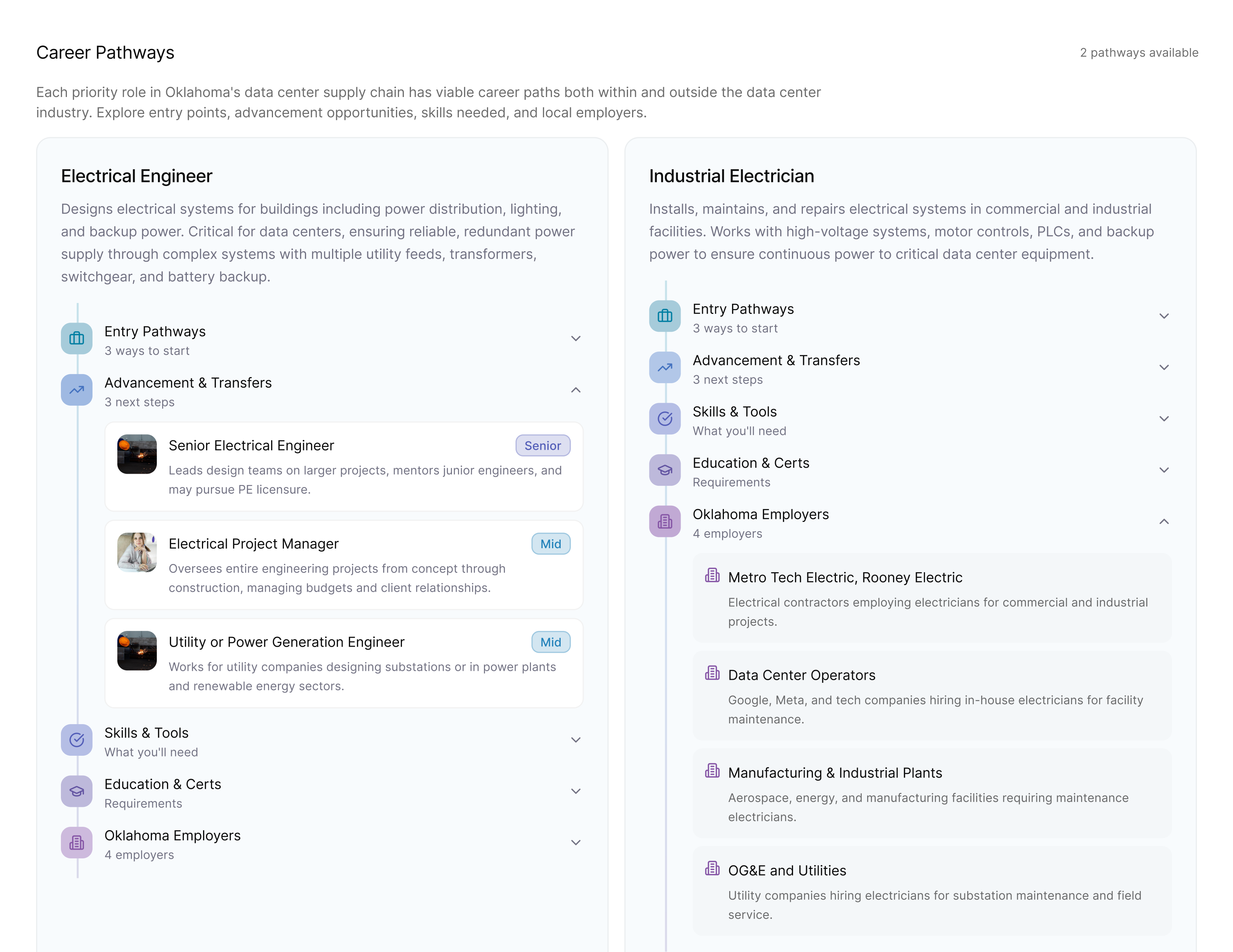
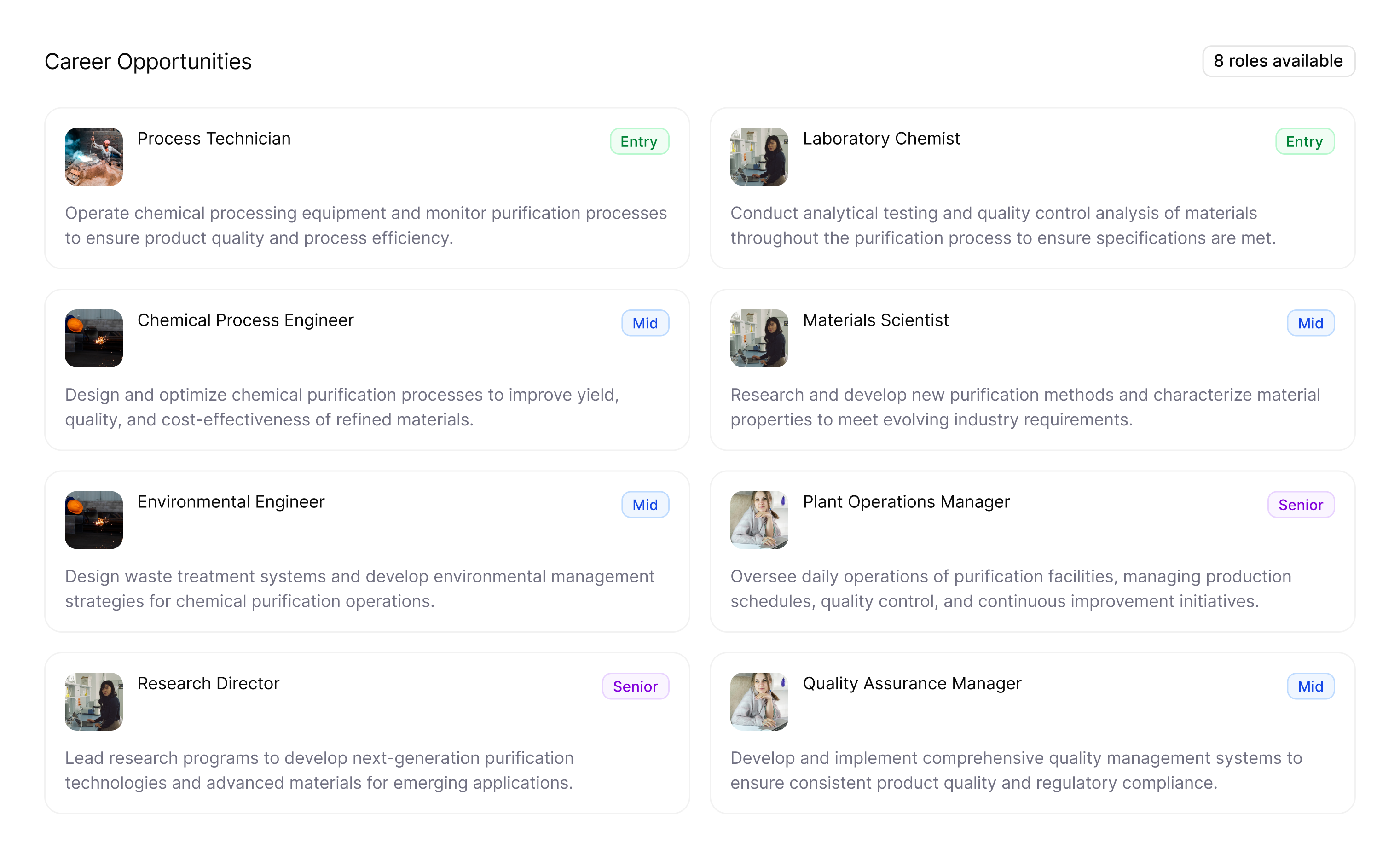
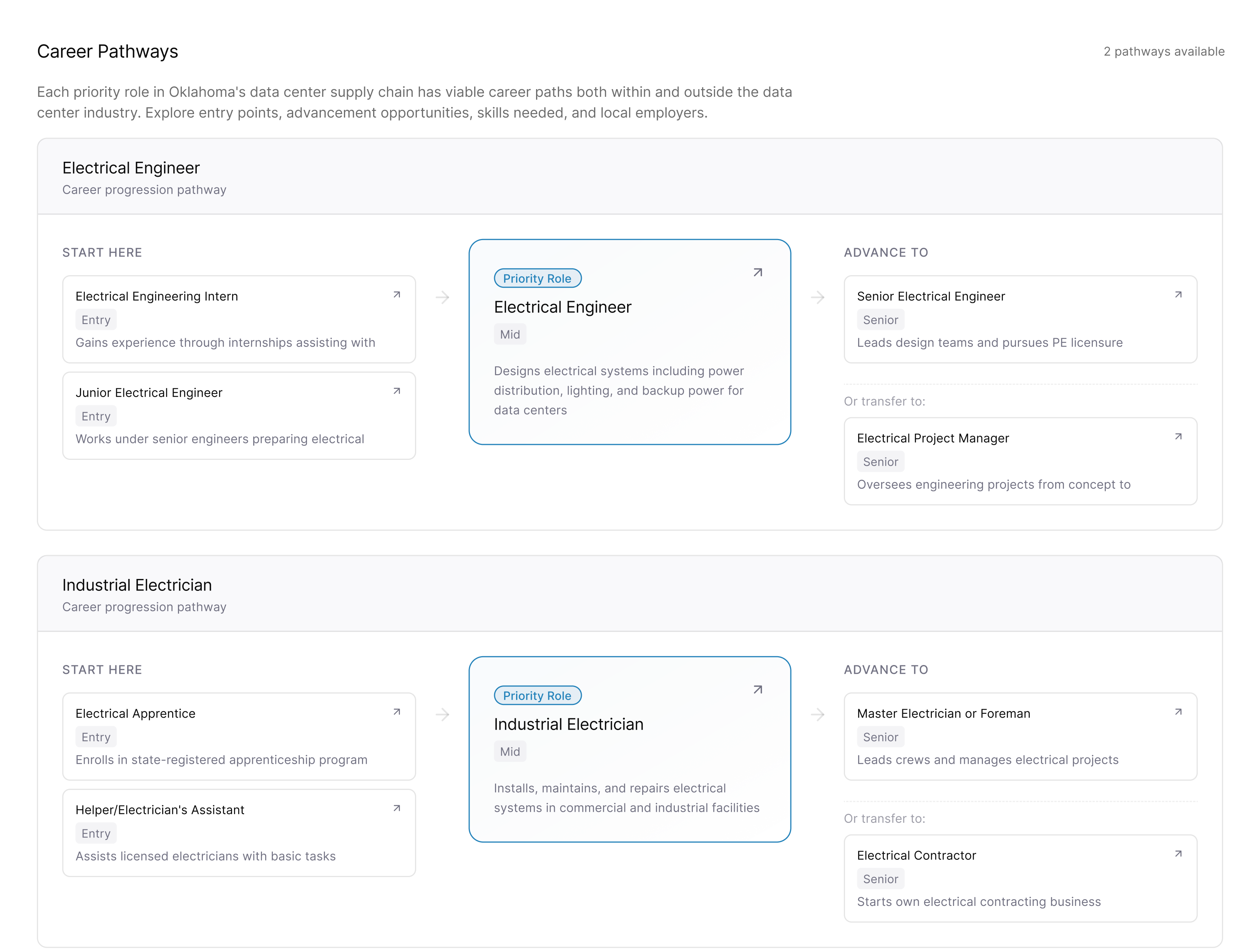
Exploring the best way to showcase career pathways for priority roles
With the use of AI tools, our design team was able to rapidly test multiple user flows and validate features with our client. One particular area of ideation was in how to showcase the priority roles in each supply chain stage, with a tradeoff between breadth and navigability with depth and exploration. Our testing clarified the main goals for this page: an in-depth view into the priority role itself, alongside a birds-eye view of the role's position within a longer career arc.
Establishing the supply chain stage as a meaningful unit of analysis
Highlighting how a priority role connects to the broader career landscape around it
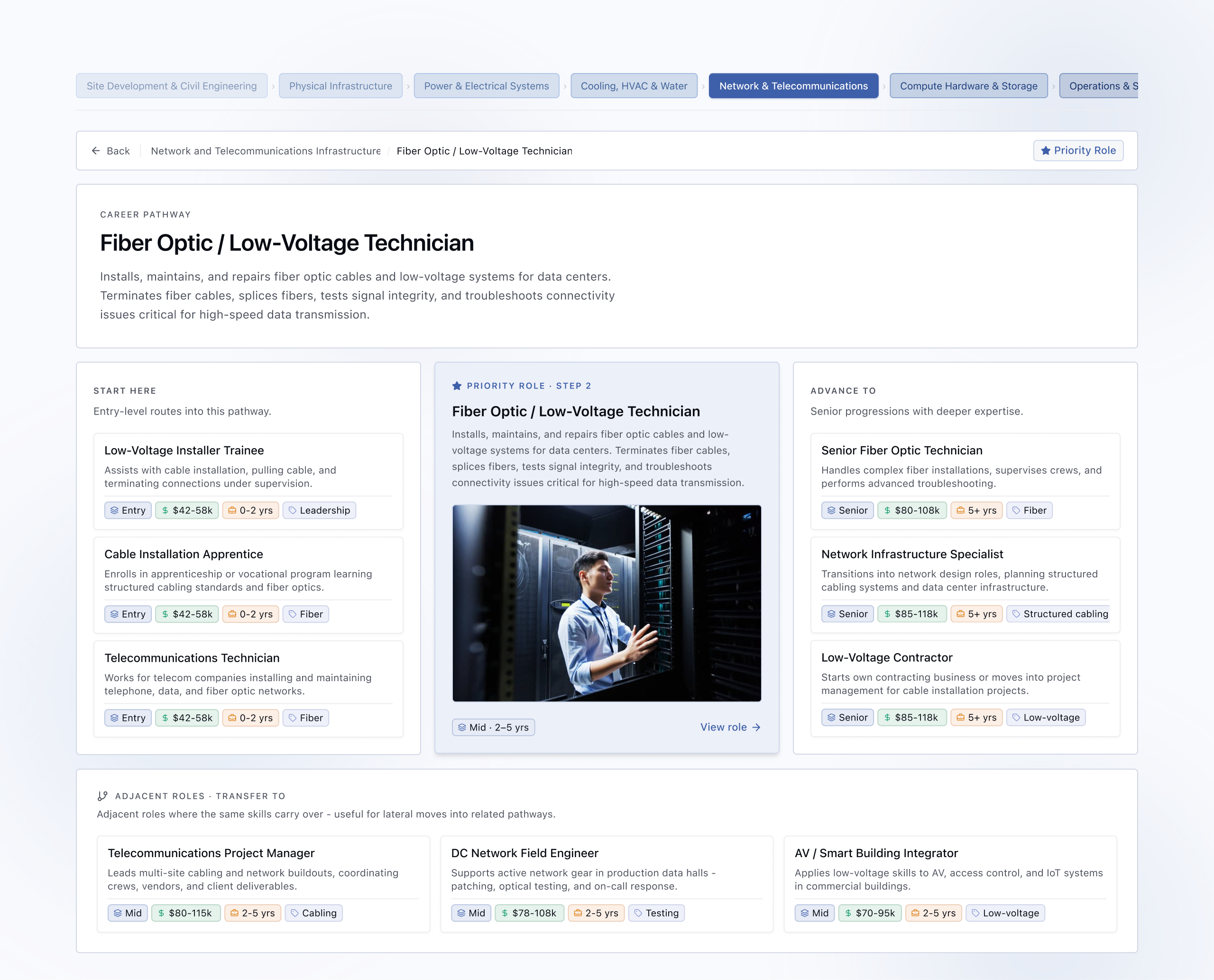
Translating abstract data into concrete, actionable information
Using AI chat to strengthen agency while avoiding helplessness
Learning how to structurally break down complexity for novice users
As a novice myself, I learned a lot about the actual logistics of the supply chain and how the labor market works in fields like manufacturing, engineering, and physical infrastructure. Taking on the role of the user in this way allowed me to better understand how a tool could best serve jobseekers navigating this unfamiliar terrain.